So we’re wrapping up illustrator soon. You guys need to get through the three tutorials (robot, trendy, and spooky) on the tutorials page. That’s the basic stuff I want you to know so that you can use it well enough to get by for now. We need to move on to Dreamweaver and learn to build web pages- and work with flash and Cinema 4d by the end of the year to intro you to all the basic apps we use in here.
So these Illustrator tutorials are realtively easy and quick. Get them all done so that you get these basic ideas and tricks for using illustrator to get some basic art done. We’re movin on soon. I do expect everyone to have all 3 tutorials done and their own projects using these skills/tools.
I’m out today for 6th hour to talk to the county people on some technical stuff for the district, but you guys know what to do. Knock out these Illy tutorials- they need to all be done by friday.
So… walking around in the last few days I’m kinda bummed that there’s so little for many of you to show me. Last quarter the cry from the trenches was “there’s not enough projects up, so there’s nothing for us to do.” So I created the projects page for extra ideas. Now I have four projects forward up and ready for you guys, and I’m getting similar excuses “I didn’t know what to do.”
It’s easy- do the projects. If you’re done, or have an idea of something you really want to do, then do that as well. As long as you’re working hard at being creative, I don’t care. I’m going to be watching closely for people off task. I have no problem slamming you for being off task because it’s so EASY to be on task in here… You can essentially do whatever you want. So what’s the deal?
I think that the problem is that I’ve just been too laid back, trying to get you to love your art- to find something to care about… And many of you simply haven’t found it. And that’s OK. But until you do find something, I’m going to have to start getting you down the road with a little more hand holding. More imposed deadlines, more directing you where to go. The projects will still be fun, but you’ll have to adhere to a more strict deadline. And of course, you can always go back and improve work you’ve worked on in the past for an improved grade. (Remember, this doesn’t always happen in the real world, so this is a gift in here!)
I’m also working on a whole scope and sequence re-write, and I’ll be talking to all of you this week about ideas for the lab and how things work. Remember, we’re all in this together…
2/3- New Illustrator tutorials to experiment with in the CTNAS until I can get them up online (Can’t FTP from school). I’ll assign a different one to each cluster.
2/4- Ok, Running into problems with Kuler in the lab… and I have a fix- Follow these instructions perfectly and Kuler will work:
- Open Internet Explorer and go to the Tools menu
- Go down to Internet Options
- Click Connections, then Lan Settings on that page.
- Click the “advanced” tab
- In the little box at the bottom for Proxy exceptions, add ;76.74.170.30 to the list (include the semicolon.)
2/4- Hey gang… at the dentist today… keep working on your illustrator tutorials. When you finish, if you were working on 2 or 3, do 4… if you did 4, do 3 today. Check out the new tutorials link in the top menubar! Nice quick link to the tutorials. I’ll add all the older ones up there soon, but for now, all the Illustrator tutorials that are in the CTNAS are there. (we’ll keep the CTNAS for backup, though!)
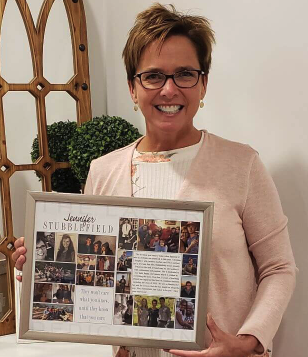
FORBES- I need a pic of you with the why 21 logo in it… maybe take a shot and make it look like you’re holding it up?? They need it for a magazine article.
MASTERS- work on that logo for ROTC- it’s on my desk
Hey gang… here’s a chance at a real contest- real prizes again! Win this, you have an “A” for the quarter. ‘Nuff said.
http://clash.aigablueridge.org/
Ok… So I’ve been thinking about a ton of different ways to get Illustrator to make sense to you as a photoshop user. I think I have a lot of good ideas and we’re going to start a new little series of activities that should make it make more sense. So this week is the “I love illustrator almost as much as Schwartz” week. We’re going to just be looking at cool, fun, easy ways to work with illustrator WITHOUT starting with the pen tool… and then we’ll ease back into the pen. I think I have some ideas that will work!
COMM TECH 2 STUDENTS- You blew a chance at $1000. The Poster contest for Palm Beach Film Festival has been up for over a month, and I haven’t seen a single entry. That’s just sad. Look at previous winners and you’d know you DEFININTELY had a chance at an easy extra grand in cold hard cash. Wake up and start paying attention to your project list. Every day, you should look at abduzeedo’s daily inspiration and then your project page.
1/28- We’ve been working in illustrator- getting a lot of live help from me in class… Tutorials coming soon to jump start you new Illy users. I think you’re going to like the way we approach it now. Let’s start over with a focus on the quick start ways to some amazing images- and we’ll be designing pins sometime this week… NO PHOTOSHOP images- Only illustrator for the pins!
Look- I know it’s frustrating. I hated it at first, too. I should have had you in Illustrator before Photoshop, but I wasn’t sure we’d have the $$ for testing and wanted you guys to get your certs. My bad. Going to Illustrator after photoshop can be more challenging. But you have to do it. Your design future (not to mention your grade) depends on it. Here’s a cool tutorial for you experienced users. Learn something beyond the basics. Learn how to use Illustrator to enhance your photoshop work. It does things that Photoshop simply can’t do. Here’s some more ideas to choose from- and of course, there’s always the diigo lists…
More to come…
First, GO SEE AVATAR. IN 3D. Totally worth the money and it will change your expectations for film.
Ok. now that that’s over… how about improving yourself? Committing to becoming a better designer. How about this year you start really looking forward and stop just living life as it’s handed to you. Try expanding. Try not giving up so fast. Try finding what makes you tick. Try finding your own inner muse. Maybe read something that makes you think once a day (heck, start with just one a week). Look for daily inspiration in your own creativity.
And as we mentioned right before break (see 12/7 entry) , we’re going to find our passion. By the end of the week, you need to find a character trait ( extra sources: 1, 2 )and an organization you believe in (extra sources: 1). A lot of your projects for the rest of the year will be focused on these two issues. I want to integrate what’s important to YOU in theis class. Remember, it’s not just about design, and it’s certainly not about me in here… it’s all about YOU. What makes you special? Why are you here? What are you gonna do to make the world better because you’re in it- both for yourself and for the world in general.
This week we’re also starting to work with the tablets. Remember that the drivers need to be installed!!! They’re at C:\drivers\ on your computer. The smaller tablets are called “graphire” and should be the first folder in the drivers folder. Remember to install the driver first, THEN launch (or close and relaunch) your applications to get all the nifty features!
1/13- I’ll be out for the rest of the week at FETC. I want the tech 1 Students to continue working on projects 13-16. I expect that 13-15 will be done when I return. You’ve had a couple weeks to work on them. Project 16 (Self Portrait in Illustrator) should be well in progress when I get back. Let’s start moving through these projects. Comm Tech 2 Students can continue on their own projects, or use the new Project Ideas page to get an idea for a fun new project in the app of your choice. Both CT1 and CT2 students should all be referring to the Project Links tag cloud for tutorials. There’s good tutorials for CT1’s on Illustrator, and CT2’s can check the general tutorials page for tons of ideas in whatever app you like.
Things are changing fast!!! It’s unreal. There’s lots happening behind the scenes on a huge level and we’re part of a really cool thing happening for schools in the county… We’ve talked about it in class and it’s of no interest for those outside of class- so I’ll stop there. Just be aware that you have a chance to be a part of something bigger than yourself here. That’s true for this class, as well as the whole county as time moves on.
So to reiterate from today’s chats, go get yourself a “work/school” email account (I recommend gmail). Then go to gravatar, and upload a pic of yourself or a self-portrait project and let that be your gravatar for that “professional self” email account. You’ll need a legit email account and you need to keep the image very professional (nothing anywhere near PG and certainly not “R” rated!!! This is your professional self!). Post to this blog entry with your gravatar email account and if you post and your image shows up, you’ve got 30 minutes extra credit. Easy stuff here, gang. Other XC points can be earned in random headphone/flashdrive checks… 5 minutes EACH if you have them during a random check.
I’m throwing around a ton of extra credit, so I’m also goning to have NO MERCY when it comes to off task behavior. Time in class is MY time. If you do your stuff on my time, I’ll require you to do my stuff on your time (after school.) That’s only fair, right??? I’m letting you guys determine how this class runs in large measure- so there’s no reason you should not be on board for 90 minutes every other school day. I’m not asking for much, and I’m giving an awful lot.
Thanks also to Squint for writing our amazing app that’s going to give us 30 minute timers for class for stretch/ergonomic breaks, circulating and seeing other people’s work, and for sharing and receiving criticism. Thanks to Smigel for the idea about practicing healthier computer habits!!!
1/6- I see lots of people trying to get to gmail from school… that won’t work. You’ll be able to get halfway through and then get stuck. You’ll have to do both Gmail and Gravatar from home (because gravatar sends a confirmation email). That’s why 30 minutes XC for such a simple thing. Projects are up on the CT1 Page- keep hammering at that bezier pen.
1/7- Short day again today. Same as yesterday- Get back on the pen tool. CT2’s- let’s chat about how to run this thing better. I have a cool idea about student inspiration projects.
SPECIAL NOTE!! STUDENTS!! When commenting, if you’re a student (or anyone under 18), please don’t use your full name. If you’re in my class, use your nickname (if I gave you one) or just class period, last name. (like 5jones). That will make it easier to find you guys and also keep your identities more private!!! You’ll have to use your “school/professional” email to get your gravatar to show, but that’s not linked to anything personal anyway, right???
Ok.. so there’s been a lot of change- and a lot of learning. Both for you and for me. I learned I’ve overextended myself with the committment to a daily blog, keeping up with new videos for every project, and more. Some of the problems will hopefully be solved after working with District IT personnel since a lot of it comes from the fact that I can’t update this site here at school with the videos. At home, my kids and life outside of school consumes my time. I’ll figure it out. Next year we’ll tweak the lab and the policies and figure out the best plan. Now that Palm Beach school district’s IT department is on board with some truly innovative ideas and helping us realize our goals- I think it’s coming soon to a screen near you. We’ll discuss the changes after we get back. I’m thinking a lot about our policies- what’s important to me, and what I believe we should stress. I’m also looking into new technologies that will help us really get an interactive presence in the lab- HOPEFULLY one that can also be accessed at home to show mom, dad, and uncle Richie your work, allow comments and interactivity, etc… I’m stoked about the possibilities.
You guys have learned a lot, too. Did you know that we’re already- assuming the same level of competition we had last year- #1 again for certifying students with the ACA test? Between my class, Mavrookas (who also uses this blog) and Moya (who hasn’t pushed testing much, but his kids are ready), we’ve already certified over 150 students this school year. Last year we certified over 230 and second place weighed in at just over 80. Granted, we have a lot more classes than most schools, but still, percentage wise, we’re certifying around 90% of our first year students halfway through the year. That’s incredible. You should be really proud if you’ve already passed the ACA test. Most schools don’t even test until after a full year of working with the program. Kudos to all of you. (if you haven’t passed yet, don’t stress it. Relax for the holidays and we’ll knock it down after we get back. I know you’ll pass it by the end of the year.)
EXAMS:
It’s Exam week. Most of you have worked hard all year. Your exam is simple. Write me a couple paragraphs that explain the three things you like most about this class- the atmosphere, the projects, the software, the equipment- whatever you think are the three best things about this class. We’ll make sure that when we re-think the class, we don’t sacrifice on any of these strengths.
The next paragraph, I want you to tell me three things you’d change if you were the TEACHER. This does NOT mean that you tell me we should be playing games every day. That’s you being a kid. Be a teacher for 10 minutes. Put yourself in my shoes. I love you guys, and I want what’s best for you. You have 5 hours to go home every day and play videogames. You only have 90 minutes every other school day to play with the software and tools we have in here. How can we make the most of that? How are we under-utilizing this? How come you WANT to play videogames sometimes in my class??? Seriously? Crummy flash games over playing with graphics, music, video, etc??? Linerider vs photoshop and linerider wins??? Even once in 100, that should never happen. Something must be wrong. Tell me what it is. Let me know what is going so wrong that with all the cool stuff we have in here, you launch a timewaster or just hang out and chat off task. What is going so wrong that you don’t want to take advantage of all that’s in here? Three things that need to change so that we can’t wait to get in here and hate to leave.
That’s how I feel every day (well, almost every day ). I love coming in to school and experimenting with graphics and see what you guys can come up with. Grading exams yesterday I was in absolute AWE of some of the work I was looking at!!! Some of you have been holding out on me! Amazing stuff happens in here and I’m missing it sometimes. I guess that says a lot about how I, myself, can get distracted and miss the coolest part of being in this room… seeing you guys work and blow me away with your incredible ideas and the important things you have to say and to create.
You’re not kids to me. I don’t blow off your chatter. You’re artists and I love to be moved by your art and to hear what you have to say.
Let’s make this lab- even if it’s only for 90 minutes every other day- a place where all of our dreams come true… Where art, respect, life, beauty, trust, honesty, and meaning take form and get tangible. For your exam tell me 3 ways that’s happening for you in here. And three things we can change to make it happen even more.
So we’re close to holiday break. Happy Holidays (whichever flavor you celebrate). Things are winding down. I hoped to have everyone ACA certified by now and we’re really close. Well over 80%. All of you know the technical stuff in Photoshop, but the technical and project planning questions are throwing you off. Don’t worry about it. Everyone that hasn’t passed yet is scoring close to passing, and we’ll make it by the end of the year. No stress, enjoy the holidays.
We’re moving into Illustrator (both CT1 and CT2 students) and you;ll need to shift your way of thinking… I know it’s a little weird, and my videos are down for the day, so check out the MacLab’s illustrator tutorials. As a matter of fact, check those out even when ours are up again. Yes it will be a little redundant. Yes, you’ll still learn a heck of a lot from both.
Keep it going guys, make sure your journals are done! You should be keeping track of what you’re doing. Get into the habit now, since it is CRITICAL from here on out. Minutes and journals will be the way I grade for the rest of the year. Your grade is in your hands.
12/8- Don’t forget our talks in class about your character trait and cause that you want to focus on in your part this upcoming year. Everyone will need one, and I’d like to have them from you for your mid-terms. If you had 10 seconds to say something to the whole world about a cause or a character trait to make the world a better place, what would it be?
Cool Vector Tutorials for getting better at the pen tool: 1 | 2 | 3
Think you have the pen mastered??? PROVE IT with page 4. (thanks to GHSD teacher, Ms. Mandell for sharing on the web!!!)
12/9- I’m hearing lots of whining about the pen tool. I already told you it’s weird for a week. It takes practice, and you will need this tool for all the other projects you’re really going to want to do this year. Trust me, you want to have this mastered. I STRONGLY recommend doing the tutorials at the mac lab along with ours in the projects. The secret with the pen tool is to master it, not just understand it. I can understand how a brush leaves paint on the canvas, that doesn’t make me an artist. If you think you’re ready to move on, there’s a new project up on the CT1 Page- your self portrait in Illustrator.
I hate it that I’m so swamped with so many projects, I often neglect the common little ones. Like updating this blog daily. I’m turning over a new proverbial leaf and committing to starting as the time and life-sucking extra project I was working on is complete. So from now on, no new post for the day, everyone in class gets a minute of extra credit.
Things are changing. I made a lot of huge changes this year and it’s hard to adjust myself to many of them. You need to know that from here on out, now that Photoshop ACA testing is out of the way (those of you that haven’t passed need to work on it on your own time now), we are starting the truly new creative efforts. So you have much freedom, and wiht that comes much responsibility. You must document your time in here. Daily document in your journal what you’re doing and what you’re learning. The journal will be key to your success in here.
Lately I’ve been thinking a lot about the elements and principles and the Synectic Triggers. These really are the secrets. The E&P will help you figure out what’s ugly in your work when it doesn’t look right. The Synectic triggers will help you think of different approaches and ideas for your project.
CT1 and CT2 students are both starting a logo design project this week. Use the triggers. Pay attention to the principles. Look at examples for inspiration. Go to your student pages and get to work. I expect some amazing and creative work!!!
12/1- CT2’s have new projects up with deadlines. Real contests with cash prizes. Don’t forget to use the synectic triggers if you’re stuck! They are the secret!
|
Brainbuffet 4.0 A rev for every paradigm shift. Brainbuffet continues to evolve and grow. There's a new atmosphere in the Lab, there's new expectations for myself and for students, and we are again gunning to be #1 in the world for getting students ACA certified in High School. (200+ Students Last year!)
If you're new to the class, welcome. If you're a veteran, lace up your boots. And if you're a visitor, feel free to poke around and use whatever you can! If you're using the site for classes, please drop me a line and let me know.
Hang on tight- this year's gonna fly.
Join our Diigo Group! Check out our Diigo Group for Design Education!
This group is for teachers, designers, students, or anyone else to share cool design links. You can easily search for tags that you're interested in and find some great resources. If you add a link, please tag it well!
|