
Platform Webinars & Free PD
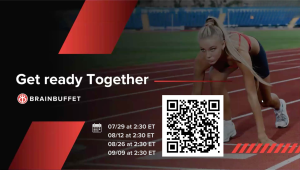
Register here for our next Platform Training for the new school year.
Watch the last teacher training session below. These webinars are all about making your teaching life easier and your lessons more impactful.
In this video, you will learn how to:
👩🏫 Easily add teachers and students
📚 Find and use extra classroom resources
📈 Track student progress with our built-in tools
Professional Development for Teachers
We’re excited to launch a new series of live professional development sessions designed to help educators build confidence, strengthen creative skills, and prepare for industry certifications.
Learn from some of BrainBuffet’s most experienced trainers through hands-on, interactive sessions focused on real-world application and classroom impact.
🗓️ Upcoming Sessions
 Adobe Professional Illustrator Certification Prepwith Jonathan GordonPrepare for the Adobe Professional Illustrator certification exam through a guided walkthrough of exam objectives, certification pathways, testing strategies, and instructional best practices.
 Adobe Illustrator: Design Beyond the Basicswith Mike VictorickLevel up your Illustrator skills through hands-on creative challenges designed to help you create more intentional, polished, and professional-quality design work.
 Adobe Premiere Pro: Storytelling Through Videowith Tommy DemosTake your video editing skills beyond the basics and learn how to create more engaging, impactful, and visually compelling video content.
Whether you’re pursuing certification or looking to sharpen your creative skills, these live trainings are designed to help you grow with guidance from expert educators and industry professionals.
Find our special Professional Development pricing and reserve your spot today.
👉 Registration now open: BrainBuffet Professional Development portal.